Thursday, December 22, 2011
Our Students' Digital Footprints
As we prepare to go fully 1:1 next school year in our district, there is a lot of work to be done and logistics to hammer out. The possibilities for change in our classrooms, our buildings, our students' homes, and our community are exciting. While this won't happen overnight, the end results seem limitless. One of the many things I've been thinking about is the concept of student digital footprints. For many of our faculty and staff, myself included, we've only recently begun to leave our footprints on the World Wide Web. Some of the items are professional while others are personal, but together they can tell a story about each of us. Our students and our own children are growing up in a time when their entire lives may be, in one form or another, documented online. The ramifications of this could be extremely positive for them but also potentially very negative. The simple example of an employer "Googling" a potential new hire's name is just one of many scenarios where a digital footprint could come into play. I'll be thinking about this topic a lot more in the upcoming semester and how it relates to what we do in education and how we do it. If you're interested in this topic, I encourage you to watch the following TEDx talk by author Steve Johnson. Please also consider leaving a comment with your thoughts or links to resources that I and others reading this post may benefit from.

Thursday, December 15, 2011
Chromebook Carts Being Setup at Leyden
We have just finished setting up the first of seven "official" Chromebook carts for our district. They have a really nice design and are much better than the other carts we've tried using with the Chromebooks so far. I'm looking forward to the feedback from our teachers once we roll them into the classrooms.


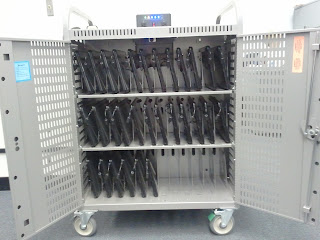


Front
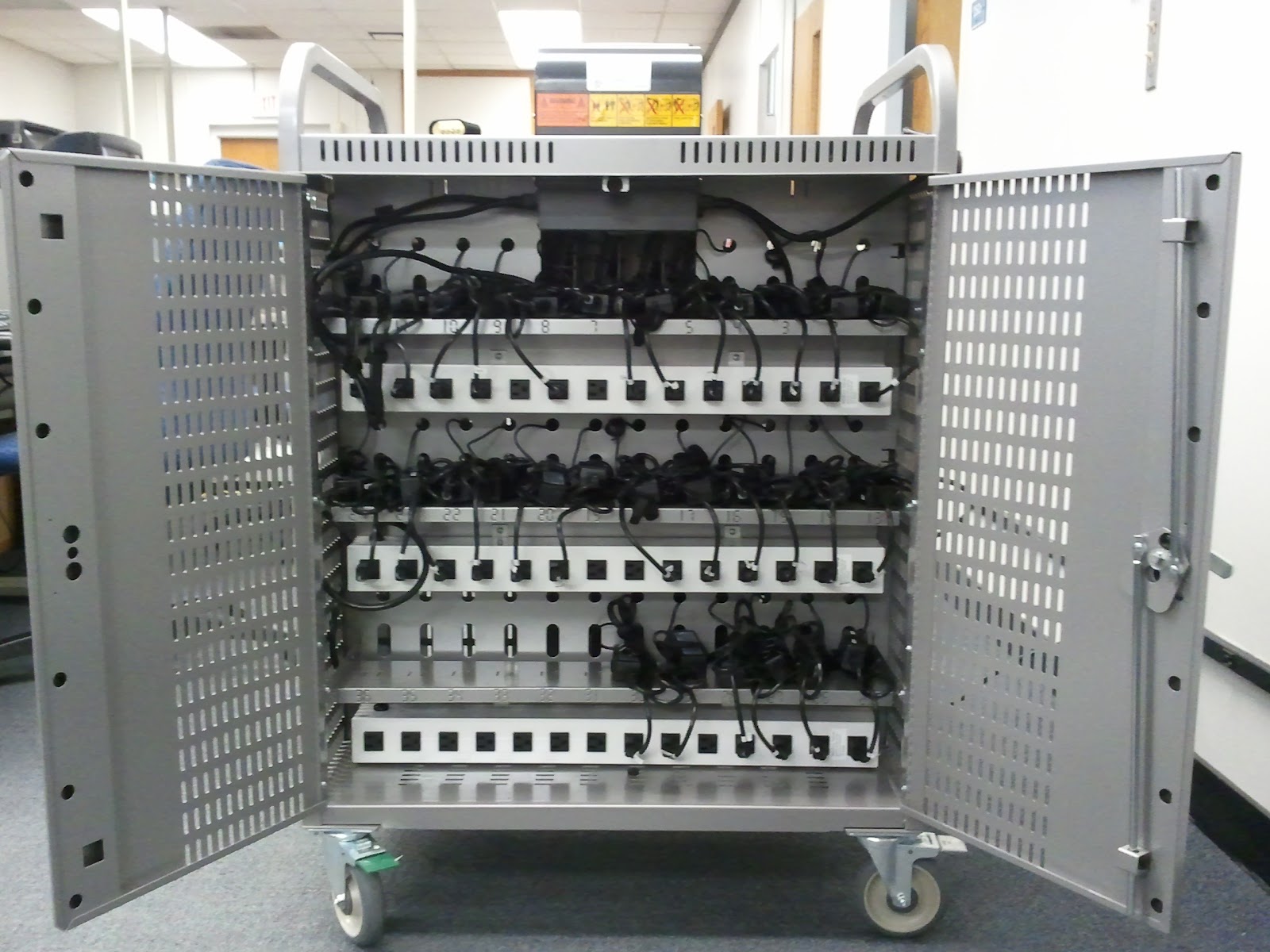
Back
Wednesday, November 30, 2011
New Google Bar Coming Soon
Get ready for a new Google bar. Google just announced this update on their blog yesterday and I'm sure it will take some time to roll out, but here's a sneak peek:
Wednesday, November 23, 2011
New Chromebook Clips
I really got a laugh from these new Chromebook clips. These really are amazing computers that just might be the ideal device to be used in schools. They are ridiculously easy to set up, require very little maintenance, are secure, are interchangeable, and are designed to integrate with and enhance the experience of using Google Apps. With more and more computer usage being Web based and the browser easily becoming the most important application on any computer, it makes sense to me that a browser-based computer is really all you need today.
Thursday, November 17, 2011
Google Apps to Support Bloom's Revised Taxonomy by Kathy Schrock
In case you haven't seen this yet, Kathy Schrock has put together this chart to show which Google Apps can be used at each level of Bloom's Revised Taxonomy. If you click the image you'll go to a web page that has an interactive version of the chart with links to all the apps, a form to share your ideas about how to use the apps, and a link to the spreadsheet that contains all the form submissions.

Gmail's New Look
Gmail is getting a face lift. Check out the new look and some of the new features in the following video. You don't have to wait to convert to this new design. Just find and click on the link in the upper right corner of your email window.
http://youtu.be/vfW5e6jVsMs
http://youtu.be/vfW5e6jVsMs
Make your email signature more functional with WiseStamp
If you use Gmail and Chrome, check out the WiseStamp extension. It allows you to create custom signatures that include social icons and email apps. Here's my example below which includes icons for my Google+ account, Twitter account, blog, and YouTube channel:

Subscribe to:
Posts (Atom)